


DeepFind AI Search Agent
4.8103.00 Reviews
App Specs
- Version
- 1.0.3
- Updated On
- License
- Free
- Downloads
- 10,000+
- Developer
- Orbit Intelligence, Inc.
- Categories
- Lifestyle
- Platform
- Android
Screenshots
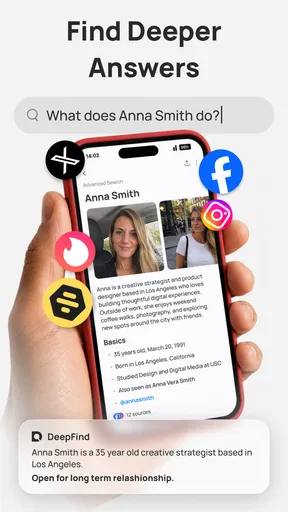

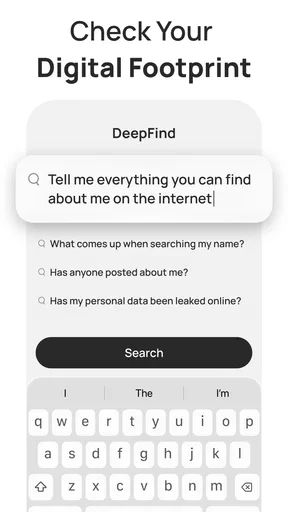
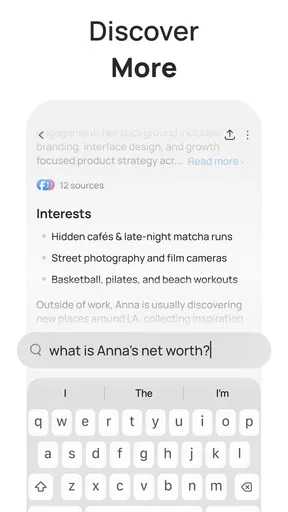

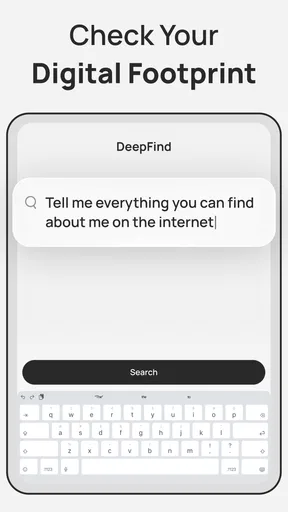
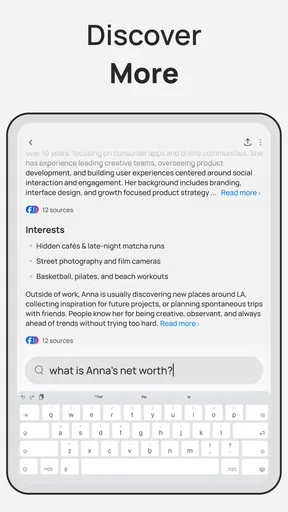
 Analysis by AppCompare
I find DeepFind AI Search Agent most interesting as a lifestyle app for people who want to explore a question rather than just collect a quick search result. Its promise is appealing: use an AI-focused approach to look for answers with more depth. That can be useful when a question is too broad for a single search, or when I need help getting oriented before making a decision. My overall view is positive, but measured: the idea suits curious, research-minded users, while anyone expecting a dependable authority or a full replacement for conventional search should keep their expectations in check.
The distinction I keep coming back to is that a search agent can help me think through what I need to know, but it does not remove the work of deciding what to trust. I would use it to bring order to an early-stage question, not to outsource judgment. That makes it potentially useful in ordinary life, provided I stay active in the conversation and treat consequential answers with care.
A more deliberate way to look for answers
I find the most useful way to judge this kind of search experience is by what it helps me do after the first answer: sharpen the question, spot the trade-offs, and decide what deserves checking elsewhere. That keeps convenience in perspective without dismissing it. From there, I look at the habits that make a conversational search more productive.
Where the approach can help
Many everyday questions are not really requests for one fact. They are small investigations: what to consider before changing a routine, how two options differ, or which follow-up questions matter. An AI search agent can make that kind of exploration feel less scattered than opening several unrelated search pages. I see the strongest use here as a first pass—turning a vague curiosity into a more organized line of inquiry, then checking important details with suitable sources.
For example, imagine I am comparing ways to make a weekday evening less hectic. A standard search might return separate advice pages about meal planning, shopping, and scheduling. A conversational search can be more convenient for laying out the problem in one place and asking a follow-up that narrows the answer to my situation. The practical advantage is not that every answer becomes definitive; it is that I can use a question-and-refinement rhythm instead of rebuilding the search from scratch each time.
That distinction matters. I would treat the app as a tool for finding a useful starting point, not as a final judge of what is true or right for me. When the subject involves health, money, legal obligations, or a consequential purchase, I would verify the key claims independently. AI-generated answers can sound composed even when a detail needs checking, and a polished explanation is not the same thing as evidence.
A useful everyday workflow is to begin with the situation, not a broad topic label. If I have a busy week coming up, I might explain the constraints I am working around and ask what decisions are worth making ahead of time. I can then use a follow-up to focus on one part, such as shopping or scheduling. The benefit is a clearer path through the question; the trade-off is that the quality of the response still depends on how clearly I describe the problem.
Worth Reading Before You Choose

Flipboard Shows What News Apps Must Do Beyond the Feed

Switching to Android Auto Means Rethinking Your Driving Routine

Google Calendar Makes a Crowded Week Easier to Manage

Ludo King Makes the Most of the Minutes Between Plans

Baby Panda World Brings Quick Play to Modern Phones, but Its Game Library Feels Busy

ESPN’s Live Game View Makes Following Close Games Easier
Useful habits for getting better results
A small change in how I ask can make an AI search tool more useful. Instead of typing “best morning routine,” I would explain the actual constraint: a routine that fits a short window, avoids complicated preparation, or works around a particular schedule. Then I would ask one focused follow-up at a time. This helps reveal whether the answer is responding to my needs or merely giving broadly sensible advice.
I would also separate exploration from verification. First, use the app to map the question and identify what to compare. Then take the most important claims and check them through trustworthy, relevant sources. This two-step workflow is especially valuable when the initial question is broad: it lets the AI help with structure while leaving the final evidence check to sources better suited to the topic.
Another practical tip is to ask for trade-offs, not just recommendations. If I am weighing two everyday options, asking what each one does well and where it may be inconvenient can produce a more useful decision framework than asking for a single winner. I would still decide based on my circumstances, but the answer can help me notice criteria I had not considered.
I would also keep a question narrow enough to evaluate. If an answer combines several suggestions, I would pick one claim that matters and check that specific point rather than trying to verify every sentence at once. This makes the app easier to use alongside ordinary browsing: it can help me identify what deserves attention, while the follow-up research stays manageable.
What to keep in mind before relying on it
The main limitation of an AI search experience is also part of its appeal: it compresses information into a conversational answer. That saves effort, but it can hide the difference between a well-supported point, a generalization, and an uncertain detail. If I need to inspect original sources, compare exact wording, or understand why one source should be trusted over another, a conventional search engine or a specialist reference may be the better next step.
There is a related trade-off in how questions are framed. A broad prompt can invite a broad answer, and follow-up questions can steer the conversation toward the assumptions already present in the first response. I would not take agreement from the app as proof that my premise is correct. For a decision with multiple sides, I would deliberately ask what could make the apparent answer wrong, or what information would change the recommendation.
Nor is an AI search agent the right choice when I already know exactly what I need: a particular website, a current official rule, a specific product manual, or a direct factual lookup. In those cases, going straight to the authoritative source is often faster and clearer. DeepFind is more compelling when I need help exploring and refining a question than when I want a simple navigational search.
There is also a practical difference between asking for a general explanation and asking for something that must be current or exact. For an official requirement, a policy, or a product instruction, I would use the app only to orient myself and then read the relevant primary source directly. That extra step may feel slower, but it prevents a tidy summary from standing in for the wording that actually governs the decision.
Who is likely to get the most from it
I can see it fitting people who regularly start with an incomplete question and want help deciding what to ask next. That includes someone planning a household routine, comparing everyday approaches, or trying to understand an unfamiliar subject before doing deeper research. The app’s lifestyle placement makes sense for that kind of practical curiosity: it is less about managing a single concrete task and more about using search to think through daily choices.
It is less suitable for readers who want every answer to come with transparent, easily inspected evidence, or who prefer to browse primary sources themselves. It is also not a substitute for professional advice. If I were researching a sensitive or high-stakes issue, I would use the app only to help organize questions, then turn to qualified guidance and reliable original material.
For a person who values convenience, the free starting point is a useful reason to try it. The app is free to install, while optional in-app purchases range from about ten to forty dollars per item. I would explore the basic experience first and decide whether it genuinely improves my research habits before spending on anything. That is a more sensible approach than paying simply because an AI tool sounds promising.
It may also suit someone who finds a blank search box a little limiting but does not want to commit to a long research session. A short exchange can help turn a half-formed thought into a list of things to compare. By contrast, a reader who enjoys browsing sources and making their own connections may find the conversational layer unnecessary and prefer to search directly.
How it compares with familiar search tools
Compared with ordinary web search, an AI agent can feel more conversational: I can refine the question without composing a new search phrase for every angle. The trade-off is that a conventional search results page gives me a more direct route to inspect separate pages and judge sources. If transparency and source-by-source comparison are central to my task, I would favor the traditional route; if I am still shaping the question, the conversational approach can be more comfortable.
Compared with a general-purpose chatbot, the search-oriented framing is the reason I would consider this app for research-like questions. Still, I would judge it by whether it helps me reach a clearer, checkable understanding—not by how confident or fluent its answers sound. The app is most useful as part of a process, rather than as the whole process.
That is also why I would not use one answer as a shortcut for a complicated decision. I would ask the app to help identify options, then compare them against my own priorities and confirm any factual claims that matter. This keeps the convenience while reducing the risk of letting a neatly phrased response make the decision for me.
In practice, I would choose between these tools based on the stage of my task. When I have only a rough idea, a conversational exchange can help me frame it. When I need exact wording, a named source, or a direct route to a particular site, ordinary search is the better fit. If I already know the question and want a broad explanation, a general chatbot may be enough; the value of a search-focused app is whether it helps me move from exploration toward information I can check.
App details and overall verdict
DeepFind AI Search Agent is a free lifestyle app from Orbit Intelligence, Inc. It is rated for Everyone and supports devices running Android 7.0 or later. The current release is version 1.0.3. Its average rating is 4.8 from around 1,700 ratings, with roughly 100 written reviews, and it has passed 10,000 installs. Those figures suggest that users have responded warmly so far, though they do not tell me whether the app will suit every research style.
My recommendation is straightforward: give DeepFind AI Search Agent a try if you want a convenient way to unpack everyday questions and find a direction for further research. Use specific prompts, ask for trade-offs, and verify claims that could affect an important choice. Skip it—or pair it with conventional search—if your priority is direct access to original sources or a highly authoritative answer. Its best role is a thoughtful starting point, and on that basis I find the concept genuinely useful.
I would start with a low-stakes question that I already care about, then notice whether the exchange leaves me with clearer criteria or just a fluent summary. If it helps me decide what to investigate next, it is earning a place in my routine. If I still have to reconstruct the question and locate every useful source myself, I would simply return to the search tools I already trust.
Pros
- Handles complex questions with more context than a basic keyword search.
- Can help compare information gathered from multiple sources.
- Useful for research
- brainstorming
- and exploring unfamiliar topics.
- Conversational follow-up questions make it easy to refine a search.
- AI-generated summaries can save time when reviewing search results.
Cons
- AI answers may be inaccurate or present outdated information.
- Important claims should be checked against the original sources.
- Some features or usage limits may depend on a paid plan.
- Search quality can vary depending on the topic and available sources.
- Requires an internet connection to search and generate responses.
FAQs for DeepFind AI Search Agent
What is DeepFind AI Search Agent?
DeepFind AI Search Agent is presented as an AI-assisted search app designed to help users find information by asking questions in everyday language. Rather than relying only on a list of links, an AI search tool may summarize relevant material and suggest follow-up queries. Its exact features can vary by version, so check the app listing for current capabilities before downloading.
How does DeepFind AI Search Agent find and present answers?
You generally enter a question or search topic, and the app uses AI to interpret the request and generate a response based on information it can access. AI-generated answers can be useful for getting an overview, but they may omit context, misunderstand a prompt, or contain incorrect details. For important decisions, verify claims using trustworthy original sources rather than relying on a summary alone.
Is DeepFind AI Search Agent free to use?
Pricing and access can depend on the app version, region, and any plans offered by its developer. Before installing, review the store listing for subscription details, in-app purchases, usage limits, and whether a trial automatically changes into a paid plan. If you start a subscription, confirm its renewal terms and cancellation process through the relevant app store to avoid unexpected charges.
Does DeepFind AI Search Agent protect my privacy?
An AI search app may process the questions and other information you submit to generate responses, so avoid entering passwords, financial details, private health information, or other sensitive data unless the developer clearly explains how it is handled. Check the app’s privacy policy and store disclosures for details about collection, storage, sharing, and deletion, and review device permissions before granting access.
What should I check before downloading DeepFind AI Search Agent?
Confirm that the app is available for your device and operating system, and check its latest update date, developer information, user reviews, and listed permissions. Read the description carefully to understand which features are actually included and whether an account, internet connection, or paid plan is required. Availability and performance can differ by country, device, and app version.


